



Problem:
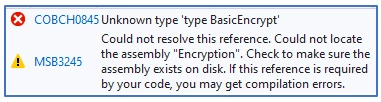
I have a third-party assembly that is stored on a network drive. If I add a reference and browse to the location using UNC e.g. \\\\RemoteAssemblies\\MyReference.dll, the following errors occur :
How can I ensure the reference is added correctly?
Solution:
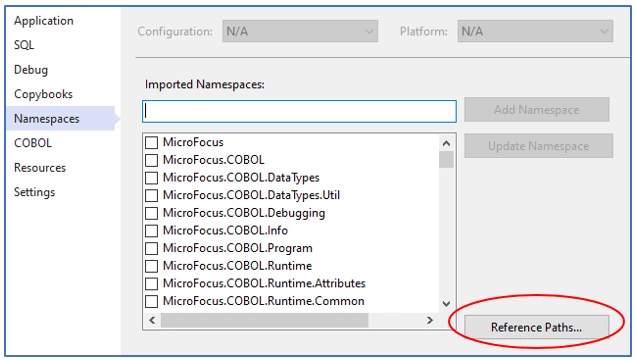
The UNC path can be added to the Namespaces References Paths list in the project properties :
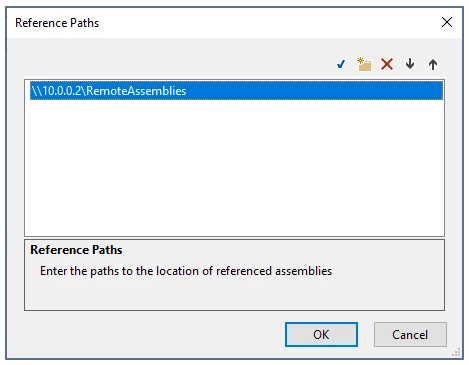
Add the UNC path you require :
Now Add Reference and Browse to the UNC path and choose the .DLL you require :
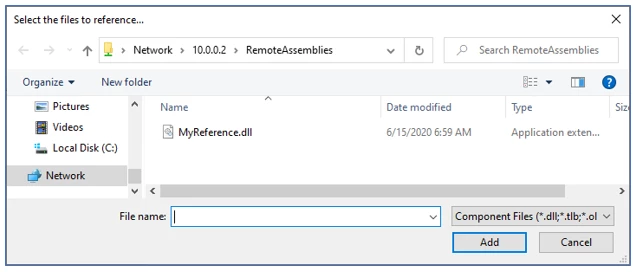
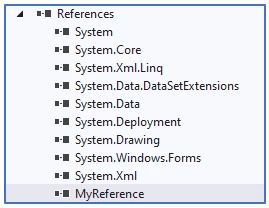
The Reference will be added :
The two errors :
Error COBCH0845 Unknown type 'type BasicEncrypt' … and Warning MSB3245 should not occur.




