


So how do you create a personalized feed?
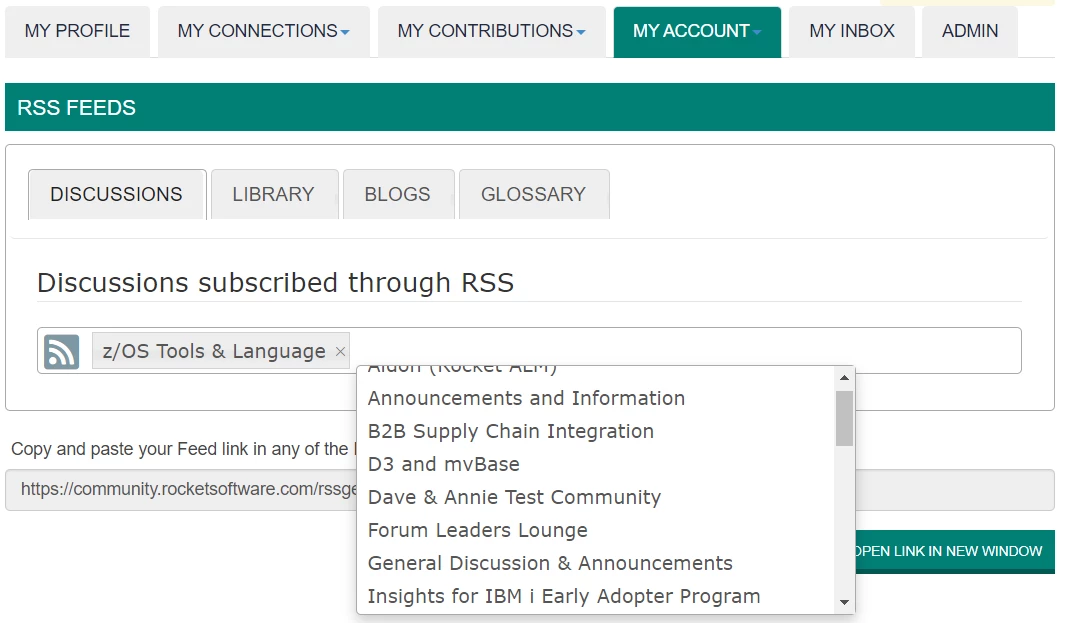
If you log onto the forum and head to your profile page, one of the tabs you'll see is "My Account," and "RSS feed" is an option on that menu. Add the forums you want to receive updates on and copy the feed link into your reader of choice. Hint: if you don't see a forum you're interest in on the list, be sure you've already joined that forum from the All Forums page.
What other questions do you have about the forum? What topics do you want to see us discuss more? And remember we have a refreshed site design coming in just a few weeks, so let me know what improvements you'd like to see.
Best regards,
Dave
------------------------------
Dave Andrews
Head of Customer Engagement
Rocket Software
------------------------------







