Question

Try to connect D3 Windows by RPC

  • Oct 13, 2026 1:18 PM UTC
  • 11 replies
  • 115 views

CBADET
  • Participating Frequently

Hello,


With an older release of D3 Windows (32bits), it was possible to connect to my D3 database using D3 Windows Class Library Reference.

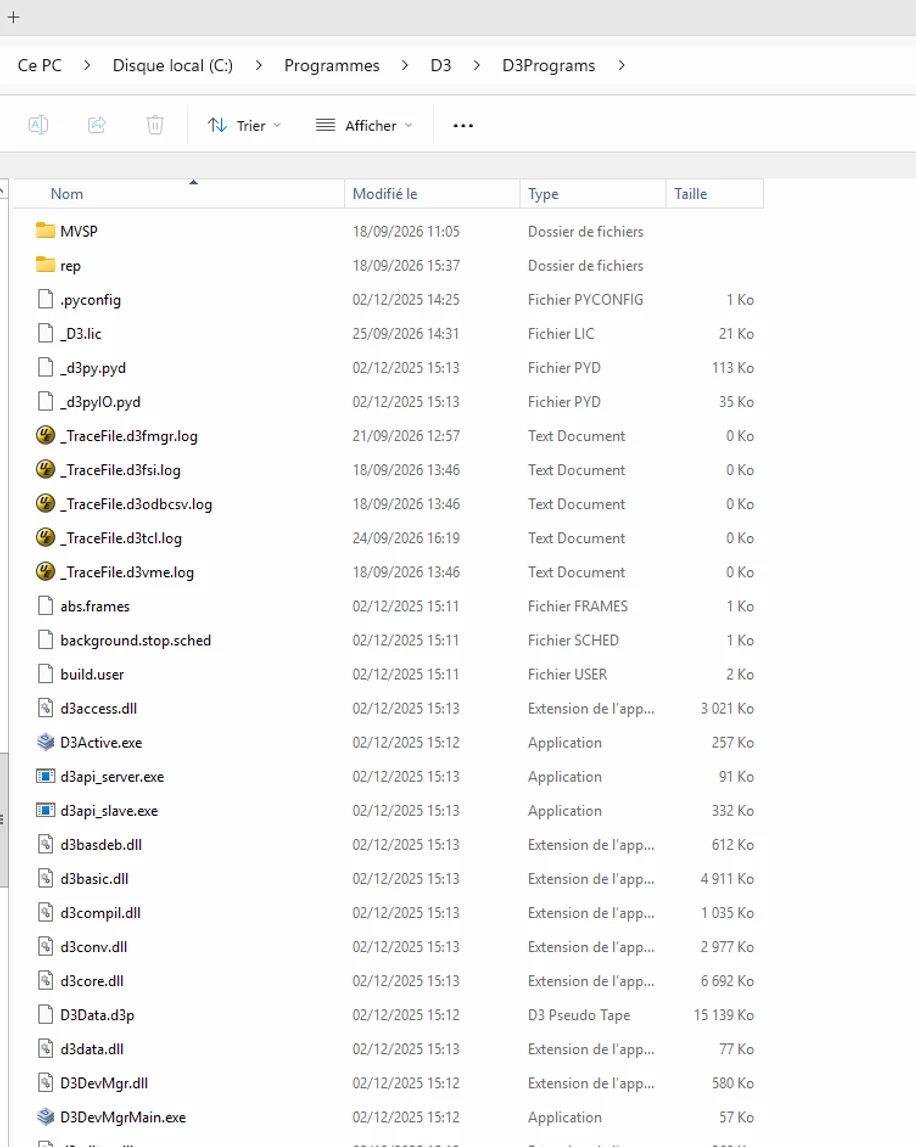
But, with the last release od D3 (64 bits), it doesn’t work. In D3 Programs, i don’t find this dll: D3clslib.dll


Any idea ?


Thanks

Regards.

Christophe.

11 replies

Brian Cram
Forum|alt.badge.img+3
  • Rocketeer
  • Oct 14, 2026 2:45 PM UTC

Check this path:


\program files (x86)\RocketSoftware\D3ODBC


And see if it’s there. 


Brian Cram
Forum|alt.badge.img+3
  • Rocketeer
  • Oct 14, 2026 2:47 PM UTC

What version of D3 are you now running? If it’s 10.3.4 or 10.4.0.1 or 10.4.0.2, there was a regression fixed in 10.4.0.3.


CBADET
  • Author
  • Participating Frequently
  • Oct 19, 2026 2:48 PM UTC

Hello, 

Thanks for youy reply, but i don’t want to use odbc but the class library. It works fine in 32bits with D3 V9, but it doesn’ work with the last release of D3  Windows (10.4.0.2).

The problem is that with the last release, i don’t find the d3clslib.dll like in 32bits release.

Where is the file in the D3 Windows 64 bits ?

Thanks


Regards.

Christophe?


Brian Cram
Forum|alt.badge.img+3
  • Rocketeer
  • Oct 19, 2026 2:56 PM UTC

Did you check this path: \program files (x86)\RocketSoftware\D3ODBC


CBADET
  • Author
  • Participating Frequently
  • Oct 19, 2026 4:41 PM UTC

Hello,


Sorry but this path doesn’t exist un  D3 64 bits release.


Brian Cram
Forum|alt.badge.img+3
  • Rocketeer
  • Oct 19, 2026 4:50 PM UTC

Please get your email address to Simon Segault so he can add you to our open case on this issue. The directory I asked you to look in is not the one that is in the forum attachment. I did a virgin install of D3 on my system and got this:


C:\Program Files (x86)\RocketSoftware\D3ODBC>dir
 Volume in drive C is Windows
 Volume Serial Number is BE6A-6DD0

 Directory of C:\Program Files (x86)\RocketSoftware\D3ODBC

03/14/2023  10:57 AM    <DIR>          .
03/14/2023  10:57 AM    <DIR>          ..
11/09/2016  09:05 AM           316,000 D3CLODBC.DLL   <<<--------------
03/14/2023  10:57 AM    <DIR>          Documentation
11/16/2016  09:38 AM           243,304 drvsetup.exe
11/16/2016  09:38 AM           255,616 drvsetup64.exe
               3 File(s)        814,920 bytes
               3 Dir(s)  210,269,847,552 bytes free


CBADET
  • Author
  • Participating Frequently
  • Oct 19, 2026 6:00 PM UTC

Hello,


Your folder is C:\Program Files (x86)\, so you don’t use a 64 bits version.

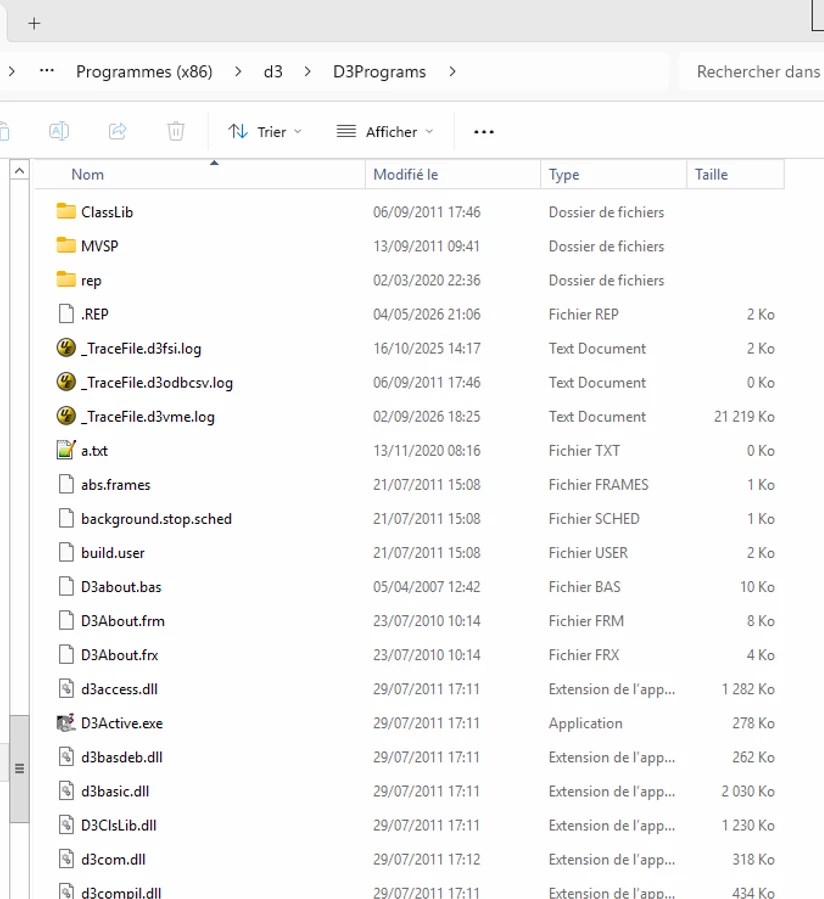
Here, the old 32 bits of D3:

As you can see, we have file names d3clslib.dll.

Where is this file on the 64 bits version ?


Thanks

Regards


Brian Cram
Forum|alt.badge.img+3
  • Rocketeer
  • Oct 19, 2026 7:43 PM UTC

OK, figured it out. Back when you first started developing this, there were two class libraried, one for ODBC and one for RPC. They were later merged together in the ODBC class library so there’s only one. The reason you do not have that path is that you need to install the D3 ODBC Client (C37setup64 would be the best). There is one minor change in how you connect, but not a big deal. PLEASE get Simon your email address so I can manage this through the case. Thanks.


CBADET
  • Author
  • Participating Frequently
  • Oct 27, 2026 6:51 AM UTC

Hello,

I don’t know how to install D3 ODBC Client. But i think that the file manager user usr rpc commands to acces at the database D3. And D3 ODBC isn’t installed. So i think than it’s possible to user RPC Functions without ODBC Client ? 


Regards.


Brian Cram
Forum|alt.badge.img+3
  • Rocketeer
  • Oct 27, 2026 3:10 PM UTC

What’s your email address?


CBADET
  • Author
  • Participating Frequently
  • Oct 28, 2026 7:42 AM UTC