Question

Debug a COBOL program from BATCH and Online ES

  • Oct 16, 2026 2:50 PM UTC
  • 21 replies
  • 188 views

Sanoop
Forum|alt.badge.img+1
  • Participating Frequently

I am integrating the VS code for COBOL development, We are executing a JCL calling a COBOL module in Enterprise server. We keep the class 2, as the server 2 is tagged with debug enable. In Enterprise Developer, its correctly captured in Debug session pointing server 2 . I want the same to be captured in the VS Code session. How it can be achieved?

I followed the instructions in the VSCode Enterprise extension documentation and setup the launch.json file 


21 replies

Kim Hoskin
Forum|alt.badge.img+2
  • Moderator
  • Oct 19, 2026 10:56 AM UTC

Hi Sanoop,

To check, have you reviewed this documentation section https://docs.rocketsoftware.com/bundle/enterprisedeveloper_dg_100_html/page/lcq1764149282455.html which provides guidance on available  debugging scenarios, do any of these seem suitable for you?

Regards,
Kim


Sanoop
Forum|alt.badge.img+1
  • Author
  • Participating Frequently
  • Oct 19, 2026 11:28 AM UTC

Hi Sanoop,

To check, have you reviewed this documentation section https://docs.rocketsoftware.com/bundle/enterprisedeveloper_dg_100_html/page/lcq1764149282455.html which provides guidance on available  debugging scenarios, do any of these seem suitable for you?

Regards,
Kim

I tried the listed options in this for COBOL . I am trying to execute a COBOL program from JCL submitted in Rocket Enterprise server. I have filled below configurations  and started the debug session,but the session is not captured neither in the Enterprise server when i start the Debug session not it capture the executed job .


        {
                "name": "Enterprise Server (BATCHD)",
                "type": "cobol",
                "request": "launch",
                "is64Bit": true,
                "enterpriseServer": {
                    "serverName": "SDMSAP99.DEV.SERVER",
                    "serverAddress": "https://escwad.mywebsite.intranet:10086/",
                    "debugType": "jcl",
                    "options": {
                        "jcl": {
                            "jobName": "MYPROG",
                            "jobNumber": "",
                            "stepName": "IMSBATCH.MYPROG$",
                            "topLevelProgram": ""
                        }
                    }
                }
        }


Kim Hoskin
Forum|alt.badge.img+2
  • Moderator
  • Oct 19, 2026 3:15 PM UTC

Hi Sanoop,

Can you verify the following:
-The affected module compiled for debugging (and compiled to 64bit),
-Where are the .idy files located (e.g. in the same path as application module),
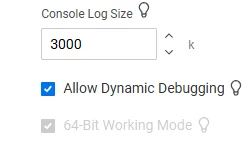
-Is the region enabled for debugging (In main region properties page enable “Allow Dynamic Debugging”)?
-Have you been able to debug previously via other IDE such as Eclipse or Visual Studio?
-Which product is used “Rocket Enterprise Server” or “Rocket Enterprise Developer”?


Sanoop
Forum|alt.badge.img+1
  • Author
  • Participating Frequently
  • Oct 19, 2026 3:25 PM UTC

Hello Kim,


-The affected module compiled for debugging (and compiled to 64bit), === Yes
-Where are the .idy files located (e.g. in the same path as application module), == G:\MYLIB\D000\LOADIDY where as the module is in G:\MYLIB\D000\COBOL
-Is the region enabled for debugging (In main region properties page enable “Allow Dynamic Debugging”)? == Already Enabled as we are able to do debug from Enterprise Developer.


-Have you been able to debug previously via other IDE such as Eclipse or Visual Studio? == Yes, i can do the debug in Enterprise Developer
-Which product is used “Rocket Enterprise Server” or “Rocket Enterprise Developer”? == We use Enterprise developer as IDE, i am trying to achieve the same results in VS Code


Thanks

Sanoop


Kim Hoskin
Forum|alt.badge.img+2
  • Moderator
  • Oct 20, 2026 6:36 AM UTC

Hi Sanoop,

Fyi, I’ll setup a test on my machine and get back to you with more information.

Regards,
Kim


Kim Hoskin
Forum|alt.badge.img+2
  • Moderator
  • Oct 20, 2026 7:07 AM UTC

Hi Sanoop,

A couple of additional points to check are, in VS Code:
-Have you got the folder opened where jcl.programs etc reside?
In > Enterprise Server view > Regions > Did you Associate the region with workspace?
In > Enterprise Server view > Regions > Right Click on the region > Add Debug Configuration> Select JCL and complete the questions/prompts.
Go To Debug tab, run the “Enterprise Server (JCL)” debug config, submit job (via VS Code folder view), result / what is seen in the Debug Console view in VS Code (e.g. JCLCM0180I J0001007 <name> Job ready for execution.)? 


Gael Wilson
Forum|alt.badge.img+1
  • Rocketeer
  • Oct 20, 2026 10:27 AM UTC

Hi sanoop. Your launch settings look wrong to me. 

“serverName” is the name of the of server (also referred to as a region in some places) on a Directory Server.

“serverAddress” is the address of the Web services and J2EE listener for that server, which you can find in the Listeners tab in the Enterprise Server admin web UI so will be something like 

“tcp:192.168.0.0:5678”

If you have the Rocket Enterprise extension installed you should be able to view your servers (regions) and you can associate the one you want to use with your workspace and generate a launch.json entry for it that will be populated with the required values rather than having to do it manually.


Hope that helps. 


Sanoop
Forum|alt.badge.img+1
  • Author
  • Participating Frequently
  • Oct 21, 2026 10:00 AM UTC

Hello,

Thank you all for your guidance on the steps

I was successful in starting the debug session in VS code with below configurations and VS code responded well.

{
"configurations": [
    {
        "name": "Enterprise Server (BATCHD)",
        "type": "cobol",
        "request": "launch",
        "is64Bit": true,
        "enterpriseServer": {
            "serverName": "BATCHD",
            "serverAddress": "${autodetect}",
            "debugType": "jcl",
            "options": {
                "jcl": {
                    "jobName": "MYPROGJ",
                    "jobNumber": "",
                    "stepName": "",
                    "topLevelProgram": ""
                }
            }
        },
        "stopOnEntry": true
    }
]

}
 

How ever the session was unable to capture the main Program and show it in the Call Stack Panel to start the debug. Do we need any specific definitions in the Config file to capture the Cobol modules  in the debug session.


Thanks

Sanoop


Kim Hoskin
Forum|alt.badge.img+2
  • Moderator
  • Oct 21, 2026 11:01 AM UTC

Hi Sanoop,

Have you checked that these values are valid:

                    "jobName": "MYPROGJ",
                    "jobNumber": "",
                    "stepName": "",
                    "topLevelProgram": ""

E.g. is the jobname in upper or lower case, or specified the program name in "topLevelProgram"?


Sanoop
Forum|alt.badge.img+1
  • Author
  • Participating Frequently
  • Oct 21, 2026 11:42 AM UTC

Hello ,

Below config is valid.

     "jobName": "MYPROGJ",
                    "jobNumber": "",
                    "stepName": "MYPROG$.IMSBATCH",
                    "topLevelProgram": ""

The debug session captures the JCL MYPROGJ, but in the Debug console i am getting below error


MYPROG. Cannot find or load the symbol file.

I suppose we need to set  the location for the idy file for MYPROG.IDY,where can we set the location for the debug session to take the load/idy file for debug.


Thanks

Sanoop


Kim Hoskin
Forum|alt.badge.img+2
  • Moderator
  • Oct 21, 2026 12:19 PM UTC

Hi Sanoop,

As the debug output shows it can't find the symbol file so you’ll need to add "symbolSearchPaths" parameter to your launch.json and point that to the path where the .idy files are.


Sanoop
Forum|alt.badge.img+1
  • Author
  • Participating Frequently
  • Oct 21, 2026 9:08 PM UTC

Hello Kim,

I gave below syntax, is this correct?


"stopOnEntry": true,

        "symbolSearchPaths": "I:\\D000 "


Kim Hoskin
Forum|alt.badge.img+2
  • Moderator
  • Oct 22, 2026 7:06 AM UTC

It looks ok to me, is that the path where .idy’s reside?


Sanoop
Forum|alt.badge.img+1
  • Author
  • Participating Frequently
  • Oct 22, 2026 7:34 AM UTC

yes, but even though its provided , debug session cannot take the .idy files. also do we need to give the source libraraies.

When i look at the enterprise developer , it has SOURCE pointing to COBOL and copybook libraries and then the SYMBOL folder for IDY files.


Gael Wilson
Forum|alt.badge.img+1
  • Rocketeer
  • Oct 22, 2026 7:52 AM UTC

 "symbolSearchPaths" expects an array of paths. With the value you have specified you should see error squiggles under the value and if you move the mouse over the value it will display ‘Incorrect type. Expected “array”’. You need to specify

"symbolSearchPaths": [ "I:\\D000" ]

Also, there is a trailing space in your path which should be removed.


Sanoop
Forum|alt.badge.img+1
  • Author
  • Participating Frequently
  • Oct 22, 2026 12:02 PM UTC

Hello Gael,Kim

Yes, that’s correct, i corrected it and , now its able lock the main program in JCL but its not able to open it in VS code. In ED it will open the module from the standard DEV library but in VS code it is opening to a library the program doesn’t exist.


Gael Wilson
Forum|alt.badge.img+1
  • Rocketeer
  • Oct 22, 2026 12:39 PM UTC

Sanoop,

The debugger will return the path of the source file used when the program was compiled and that is what VS Code attempts to open. If you need VS Code to open the file from a different location you will need to add one or more mappings using the “sourceFileMap” option eg

            "sourceFileMap": {

                "original-source-path-1": "mapped-path-1",

                "original-source-path-2": "mapped-path-2",

                ...

            }


Sanoop
Forum|alt.badge.img+1
  • Author
  • Participating Frequently
  • Oct 22, 2026 1:09 PM UTC

Yes that is already filled as the SOURCE codes should be pulled from standard Release library.


    {
        "name": "Enterprise Server (BATCHD)",
        "type": "cobol",
        "request": "launch",
        "is64Bit": true,
        "enterpriseServer": {
            "serverName": "BATCHD",
            "serverAddress": "${autodetect}",
            "debugType": "jcl",
            "options": {
                "jcl": {
                    "jobName": "MYPROGJ",
                    "jobNumber": "",
                    "stepName": "MYPROG$.IMSBATCH",
                    "topLevelProgram": ""
                }
            }
        },
            "stopOnEntry": true,
            "console": "externalConsole",
            "trace": false,
            "symbolSearchPaths": ["\\\\appfiles.test.dev\\TEST_IDY_D000\\D000"
            ],
           "sourceFileMap": {

                "original-source-path-1": "\\\\testscrm\\TEST_D000\\MYLIB\\D000\\COBOL",
                "original-source-path-2": "\\\\testscrm\\TEST_D000\\MYLIB\\D000\\COPY",
                "original-source-path-3": "\\\\testscrm\\TEST_D000\\MYLIB\\D000\\COPYDM",
                "original-source-path-4": "\\\\testscrm\\TEST_D000\\MYLIB\\D000\\COPYXD",
                "original-source-path-5": "\\\\testscrm\\TEST_D000\\MYLIB\\D000\\COPYXR",
                "original-source-path-6": "\\\\testscrm\\TEST_D000\\MYLIB\\D000\\COPYXS",
                "original-source-path-7": "\\\\testscrm\\TEST_D000\\MYLIB\\D000\\COPYDCL",
                "original-source-path-8": "\\\\testscrm\\TEST_D000\\MYLIB\\D000\\COPYIMS",
                "original-source-path-9": "\\\\testscrm\\TEST_D000\\MYLIB\\D000\\COPYINC",
                "original-source-path-10": "\\\\testscrm\\TEST_D000\\MYLIB\\D000\\COPYMET",
                "original-source-path-11": "\\\\testscrm\\TEST_D000\\MYLIB\\D000\\COPYPCB"

            }
    }
]

}


Gael Wilson
Forum|alt.badge.img+1
  • Rocketeer
  • Oct 22, 2026 2:11 PM UTC

The original source path needs to be the actual original source location, not a string saying “original-source-path-<n>” so for example if the source files you want VS Code to use are in I:\SOURCE and the sources used when the files were compiled were in C:\MY\PROJECT\SOURCE the mapping would look like this 

           "sourceFileMap": {

                "C:\MY\PROJECT\SOURCE": "I:\SOURCE",

            }


Sanoop
Forum|alt.badge.img+1
  • Author
  • Participating Frequently
  • Nov 5, 2026 10:33 AM UTC

Thank you Gael,Kim , the team was able to configure it correctly,


Gael Wilson
Forum|alt.badge.img+1
  • Rocketeer
  • Nov 5, 2026 1:00 PM UTC

Hi ​@Sanoop 

That’s good to hear. Thanks for letting us know you got it working.

Gael