Solved

Where's the attachments in the Enterprise Analyzer training course?

  • December 9, 2025
  • 5 replies
  • 39 views

Michael Schmitt
Forum|alt.badge.img+1

Rocket has an Enterprise Analyzer Certified Professional - L4XX training course. The start of the course has a hands-on lab for installing a demo workspace. Task 2 step 5 is to “Add sources manually”; the screenshot in step 7 shows this being done from C:\EA Sources\BankDemo\sources, but as far as I can tell, this is not installed with Enterprise Analyzer. (There are some demo files it puts in every workspace but not the full demo.

So where is someone taking the class supposed to get the demo files?

The training videos several time to go to the “attachment tab”. There is no attachment tab in the training site, as far as I can find. Nor anywhere else with downloads.

I happen to have a .zip file with what I think you need, but only due to another case I had with Rocket.

My question is: Where is someone taking the class supposed to get the demo sources from? Is this something that was lost in the migration from Open Text to Rocket?

Best answer by Jeremy Watson

Hi Michael,

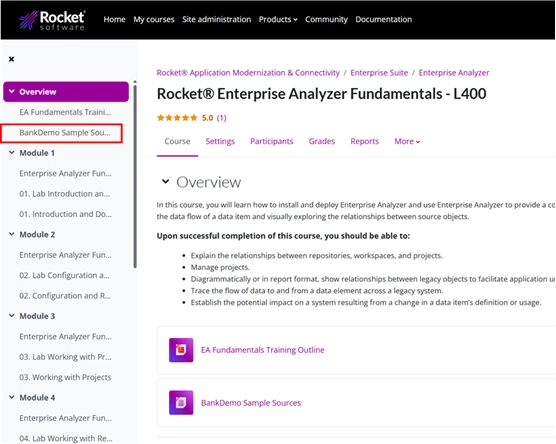
The site is updated now so the BankDemo code is now attached to the courses (see the screenshot below).  Now whenever you hear the term “Attachment Tab,” you can refer to the panel on the left side of the browser window.

Thanks,
Jeremy

5 replies

dpraveen
  • Rocketeer
  • December 10, 2025

I took the sources from Releases · RocketSoftwareCOBOLandMainframe/BankDemo to setup my repo. 


Sateesh Racha

Hello, You can access them from here if you have access,

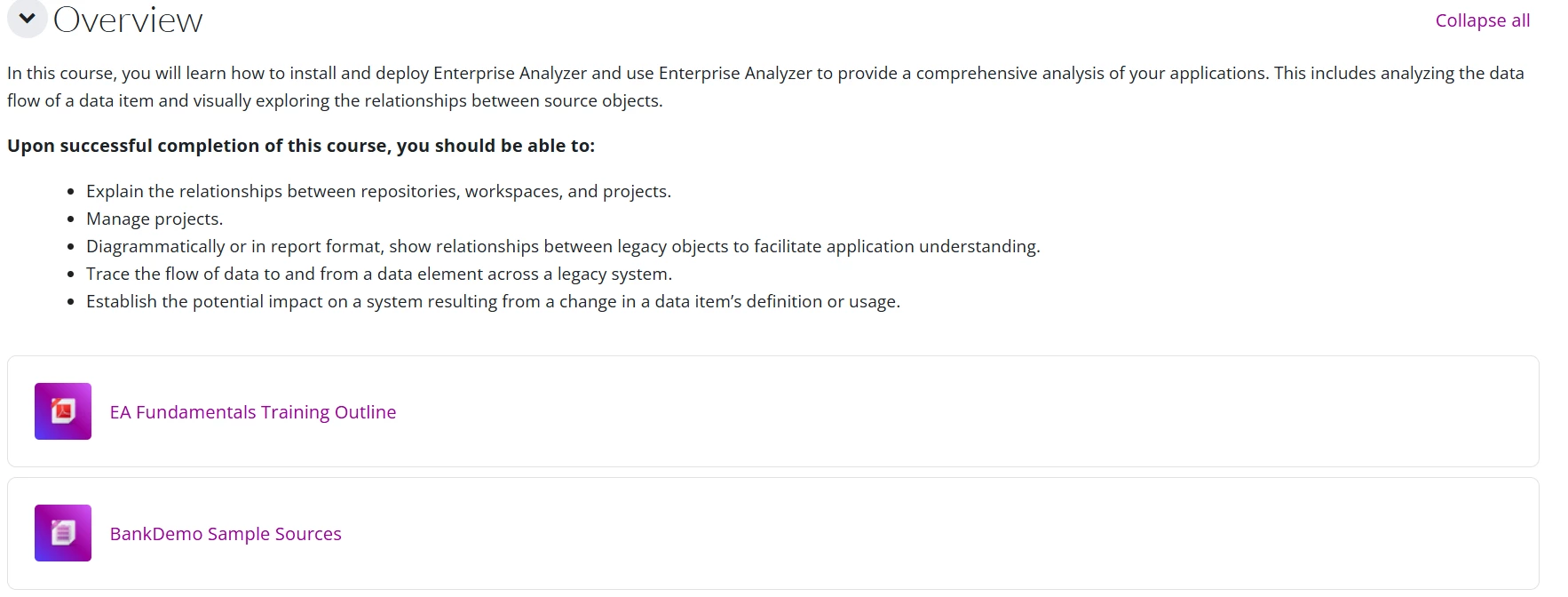
https://learn.rocketsoftware.com/course/view.php?id=553 

This will open below page:-

 Dowload the “Bankdemo sample sources” by clicking on it. 


If you are not having access reach out to us: learn@rocketsoftware.com we can help you! 


Thanks!

Sateesh.


  • Rocketeer
  • Answer
  • December 10, 2025

Hi Michael,

The site is updated now so the BankDemo code is now attached to the courses (see the screenshot below).  Now whenever you hear the term “Attachment Tab,” you can refer to the panel on the left side of the browser window.

Thanks,
Jeremy


Michael Schmitt
Forum|alt.badge.img+1
  • Author
  • Participating Frequently
  • December 10, 2025

Thanks, I’ll try that.

It is different from the EADemoSources.zip files that was attached to Enterprise Analyzer case 01129543:

  • EADemoSources\BankDemo: 140 files
  • BankDemo Sample Sources > BankDemo\sources: 311 items
  • C:\EA Sources\BankDemo\sources as shown in class instructions: 183 files to import/analyze

Hi Michael,

For the training, please use the set that is now attached in the course.

Thanks,
Jeremy