Question

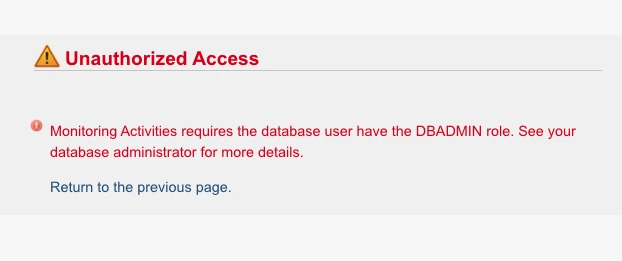
How can i fix the message "Monitoring Activities requires the database user have the DBADMIN role"

  • December 1, 2020
  • 4 replies
  • 15 views

HyeontaeJu
Forum|alt.badge.img+2

today, i log-in to the vertica management console using dbadmin. and i got a this message "Monitoring Activities requires the database user have the DBADMIN role"

How do i fix it?
4 replies

Jim_Knicely
Forum|alt.badge.img+2
  • Participating Frequently
  • December 1, 2020

MC needs at least one agent to be running in order to validate/secure a connection to the database.

If you need to restart the agent on the Vertica nodes, run:
/etc/init.d/vertica_agent restart

If you are using Red Hat Enterprise Linux/CentOS 7, use the following command instead:
/opt/vertica/sbin/vertica_agent restart


HyeontaeJu
Forum|alt.badge.img+2
  • Author
  • Participating Frequently
  • December 2, 2020

but,, i don't understand why do i need to restart vertica_agent? There was no such problem before.


Jim_Knicely
Forum|alt.badge.img+2
  • Participating Frequently
  • December 2, 2020

I was just guessing at your issue ;)

Check the status of the agents:

[dbadmin@localhost ~]$ /opt/vertica/sbin/vertica_agent status
use_agent=true
true
Vertica Agent: sh (pid 389240) is running...


Jim_Knicely
Forum|alt.badge.img+2
  • Participating Frequently
  • December 2, 2020

But make sure the user you are logged into MC as has the appropriate MC Database Privileges:

https://www.vertica.com/docs/latest/HTML/Content/Authoring/ManagementConsole/ManagingUsersandPrivileges/MCDatabasePrivileges.htm

And that you've mapped your MC to user to a Vertica DB user with the required privileges:

https://www.vertica.com/docs/10.0.x/HTML/Content/Authoring/ManagementConsole/ManagingUsersandPrivileges/GrantingDatabaseAccessToMCUsers.htm


