Question

Issue with JDBC driver 9.3.0.0

  • February 26, 2020
  • 5 replies
  • 21 views

James_3

Within our application we use the addition of "ConnSettings=Set timezone to 'clientstimezone'" to change the time zone related to the data coming back but with the 9.3.0.0 it seems like it either doesn't recognize this within the connection URL or doesn't register some time zones. Has anyone seen this?

5 replies

SruthiA
Forum|alt.badge.img+1
  • Participating Frequently
  • February 27, 2020

Hi James,

          I just tried to reproduce the issue using DBVisualizer and I see that it is working as expected

dbadmin=> create table test (a timestamp);
CREATE TABLE
dbadmin=> insert into test select TRANSACTION_TIMESTAMP();

OUTPUT

  1

(1 row)

dbadmin=> select * from test;

a

2020-02-27 17:05:44.368478
(1 row)
Now add SET TIMEZONE TO 'UTC' to connection hooks section in DBVisualizer and run the same insert statement (insert into test select TRANSACTION_TIMESTAMP();) . When I query the database, I can see that timestamp being inserted as per the UTC timezone.

dbadmin=> select * from test;

a

2020-02-27 22:06:27.24566
2020-02-27 17:05:44.368478
(2 rows)

dbadmin=> select now();

now

2020-02-27 17:05:44.368478-05
(1 row)

dbadmin=> select version();

version

Vertica Analytic Database v9.3.0-1
(1 row)

dbadmin=>


James_3
  • Author
  • New Participant
  • February 27, 2020

Interesting, our JAVA application connects perfectly fine using the vertica_6.0.0_jdk_5.jar driver but when we switch to using the vertica-jdbc-9.3.0-0.jar the connection stays as the machines time zone. Not sure why this is occurring but reverting to the original vertica_6.0.0_jdk_5.jar driver fixes the issues.


SruthiA
Forum|alt.badge.img+1
  • Participating Frequently
  • February 27, 2020

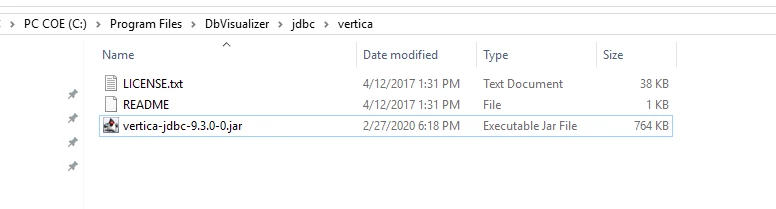
I performed the test with 9.3 JDBC driver in DBVisualizer.

dbadmin=> select * from test1;

a

(0 rows)
dbadmin=> insert into test1 select TRANSACTION_TIMESTAMP();

OUTPUT

  1

(1 row)

dbadmin=> select * from test1;

a

2020-02-27 18:26:19.899408
(1 row)

dbadmin=> select now();

now

2020-02-27 18:26:19.899408-05
(1 row)

Now add SET TIMEZONE TO 'UTC' to connection hooks section in DBVisualizer and run the same insert statement (insert into test select TRANSACTION_TIMESTAMP();) . When I query the database, I can see that timestamp being inserted as per the UTC timezone.
dbadmin=> select * from test1;

a

2020-02-27 23:26:57.71788
2020-02-27 18:26:19.899408
(2 rows)

dbadmin=> select now();

now

2020-02-27 18:26:19.899408-05
(1 row)

dbadmin=>


James_3
  • Author
  • New Participant
  • February 28, 2020

We tried using it again and received the same results where the time zone we were passing into the URL was ignored while the server time zone was used. Guess we will keep using the older driver for now and test a newer one later on.


siddyash
Forum|alt.badge.img
  • Participating Frequently
  • February 28, 2020

Hello James,
The ConnSetting that you used should work with JDBC Driver 9.3.0, as per our client team. Does the query hit the database properly? you can check dc_requests_issued to see if it made it and took effect.
You can also URL encode any parameter in case the query text conflicts with the URL parsing. we are not sure if it would or not (maybe it does with a real timezone and not the literal string “clientstimezone”), but if it does you could try ConnSettings=Set%20timezone%20to%20%E2%80%98clientstimezone%E2%80%99
Thanks.