
Question

DB2 Connect fails after rest from prior database

  • Nov 1, 2026 4:28 PM UTC
  • 12 replies
  • 70 views

billhulsizer

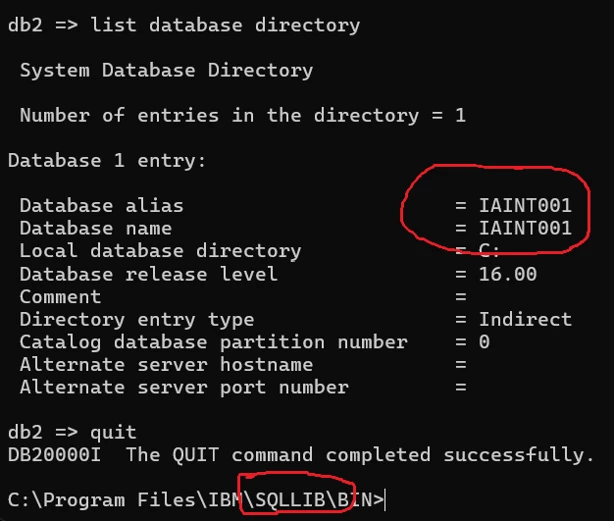
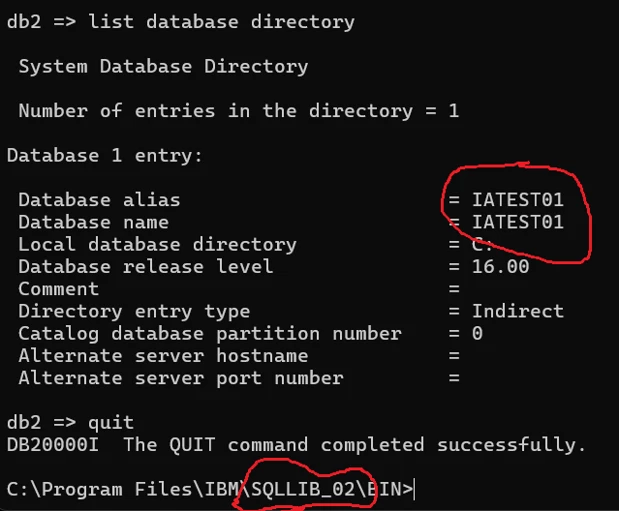
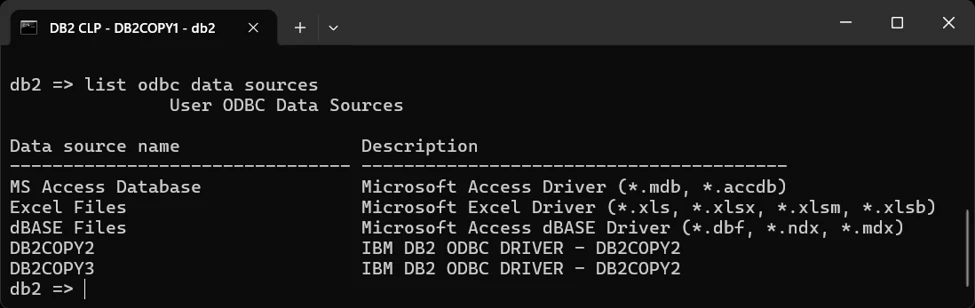
Hello – I’m developing an app that needs to copy data from one database to another database.  I have two DB2 LUW instances DB2COPY1 (DB2 / SQLLIB) and DB2COPY3 (DB2_02 / SQLLIB_02) running on my laptop.  They both have one database, IAINT001 on DB2COPY1 and IATEST01 on DB2COPY3.  Both of them are cataloged to their respective instance and connect fine in ODBC.
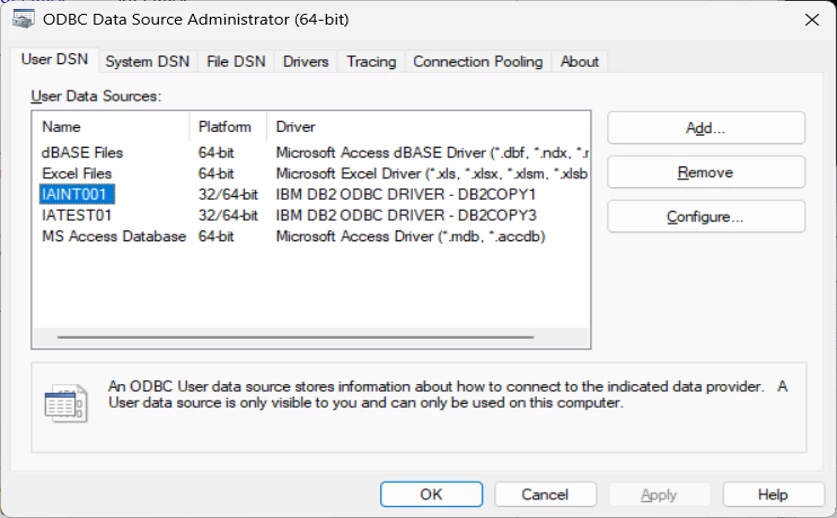
 

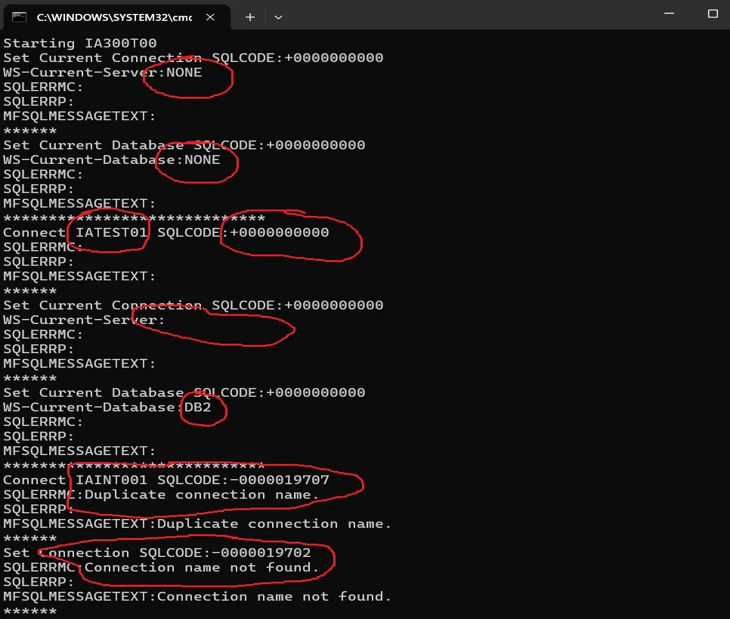
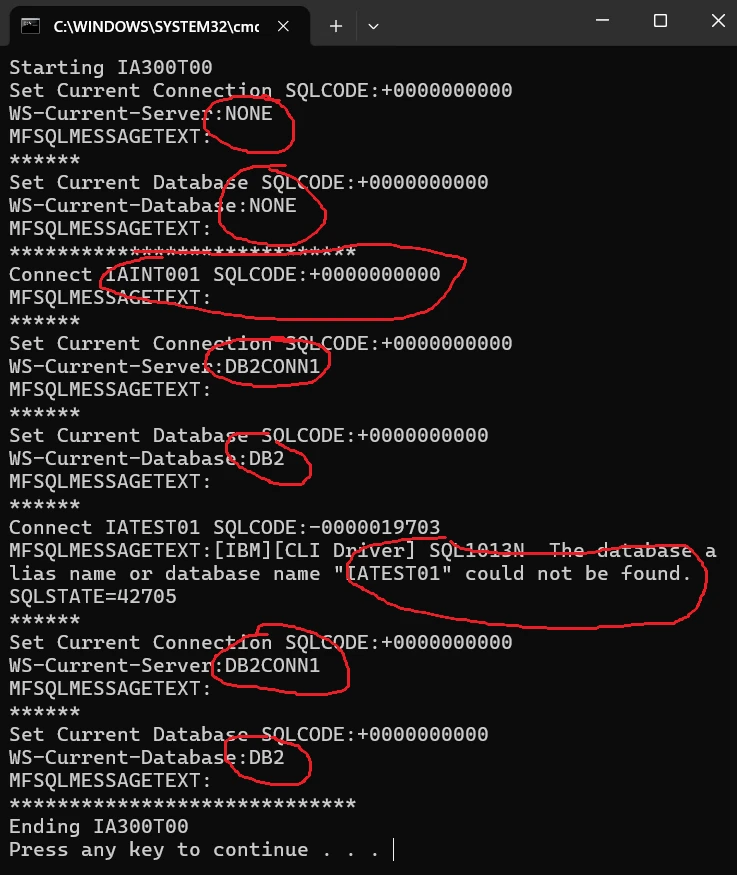
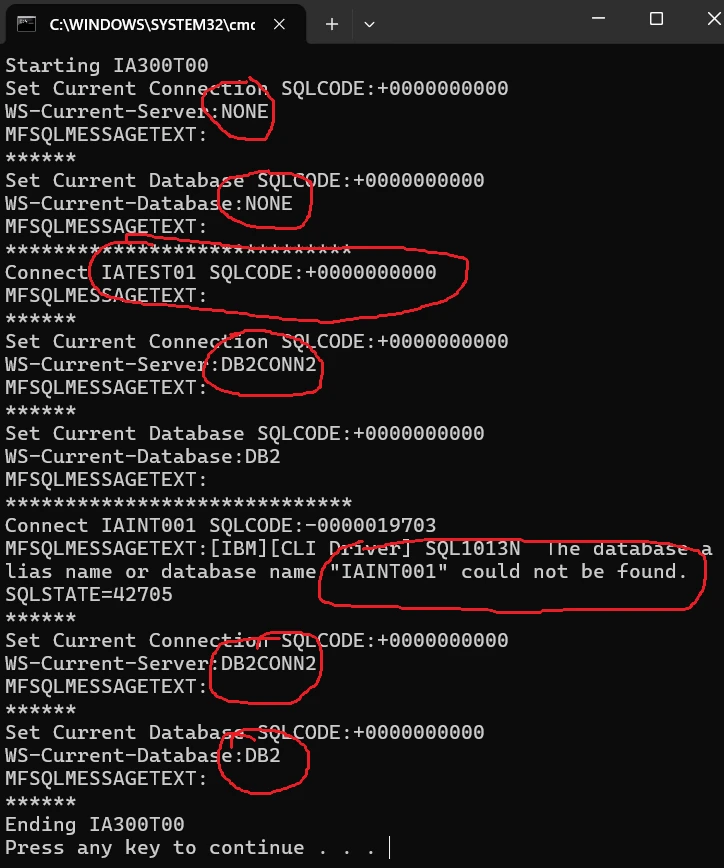
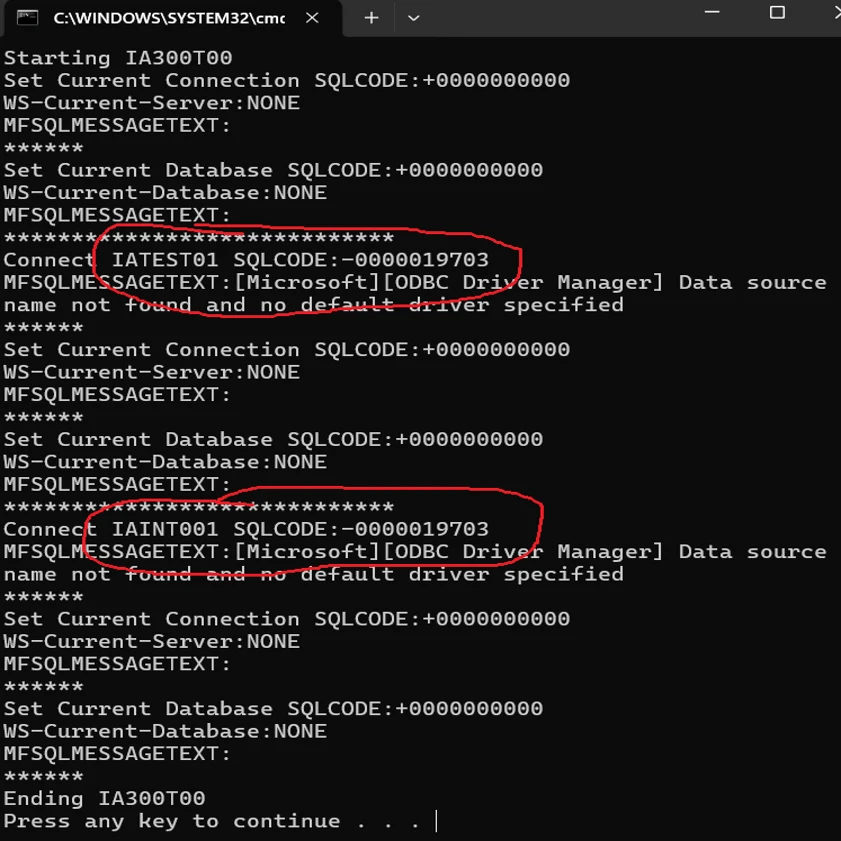
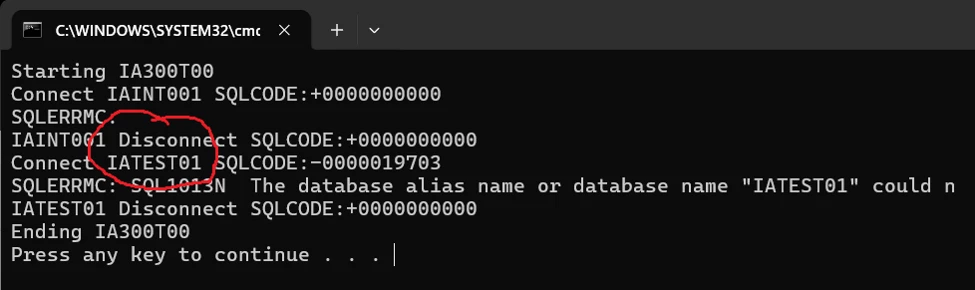
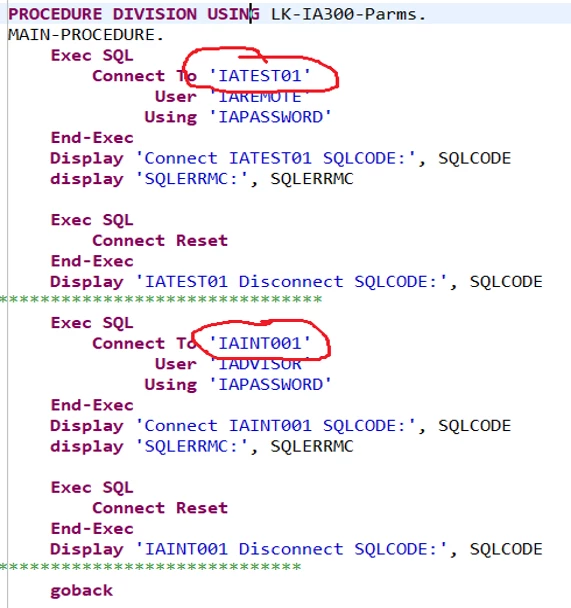
In my Rocket COBOL program, if I connect to database IAINT001 first, then connect reset, then connect to database IATEST01, the connection to IATEST01 fails with SQLCODE -19703, as below.
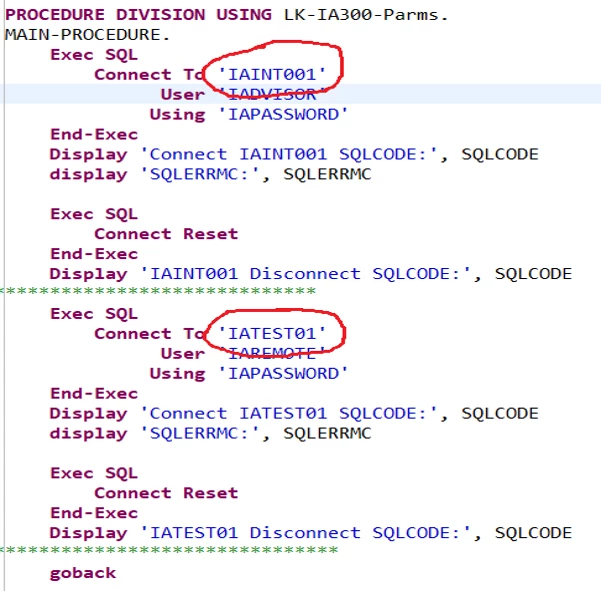


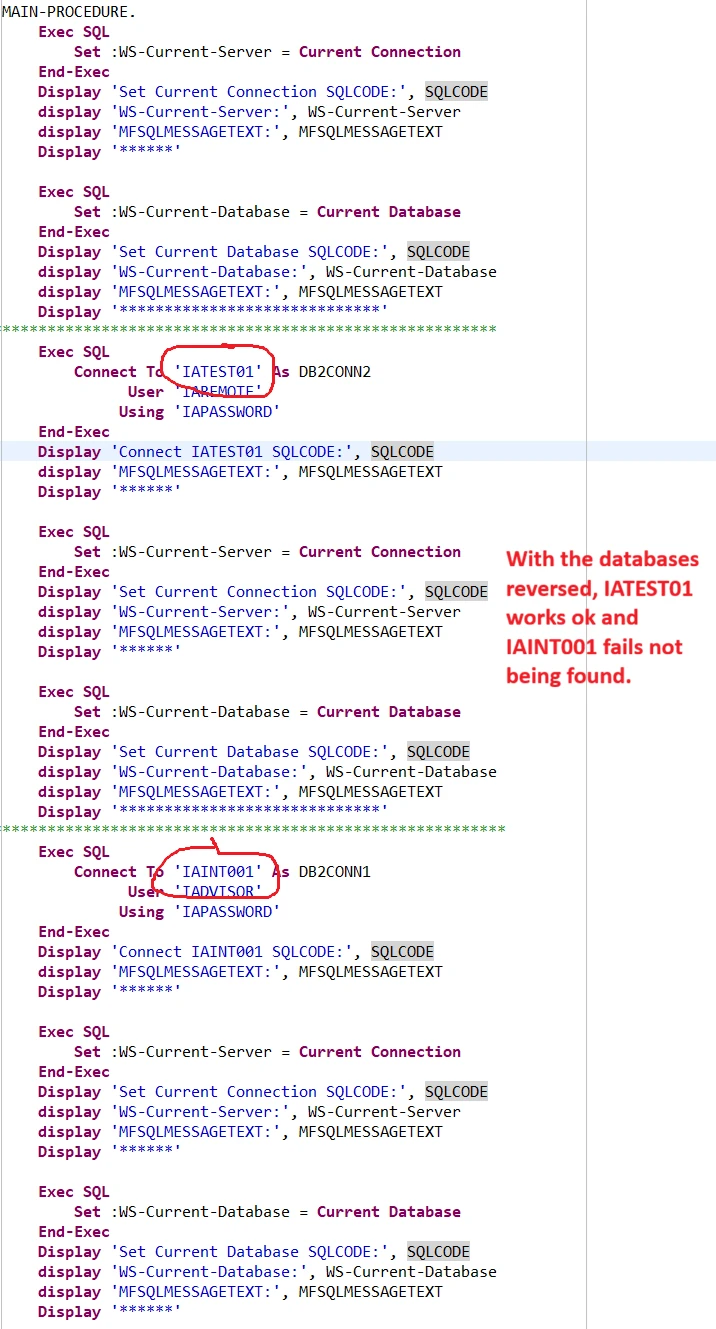
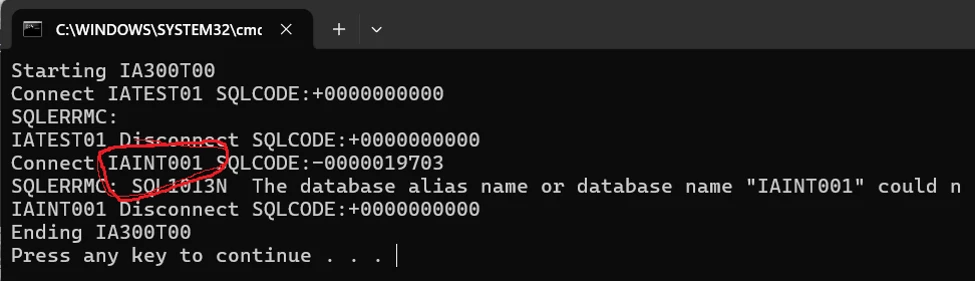
However, if I switch the sequence of the databases and connect to database IATEST01 first, it works.  After the connect reset, the connect to database IAINT001 fails with SQLCODE -19703, as below, just like database IATEST01 failed above.
 

SQLCODE -19703 seems pretty generic.

Anyone know what I’m doing wrong?....


12 replies

billhulsizer
  • Author
  • Participating Frequently
  • Nov 2, 2026 12:47 PM UTC

“rest” in the title should be “reset”…  I don’t see a way to correct it...


Chris Glazier
Forum|alt.badge.img+4

CONNECT RESET does a disconnect from the specified database connection.

I think what you want to use is named connections and the SET CONNECTION statement to switch between the two.

Please see the documentation for SET CONNECTION here: SET CONNECTION


billhulsizer
  • Author
  • Participating Frequently
  • Nov 2, 2026 2:46 PM UTC

I only need to connect to one database at a time, so I was trying to close the first connection, before opening the second connection.

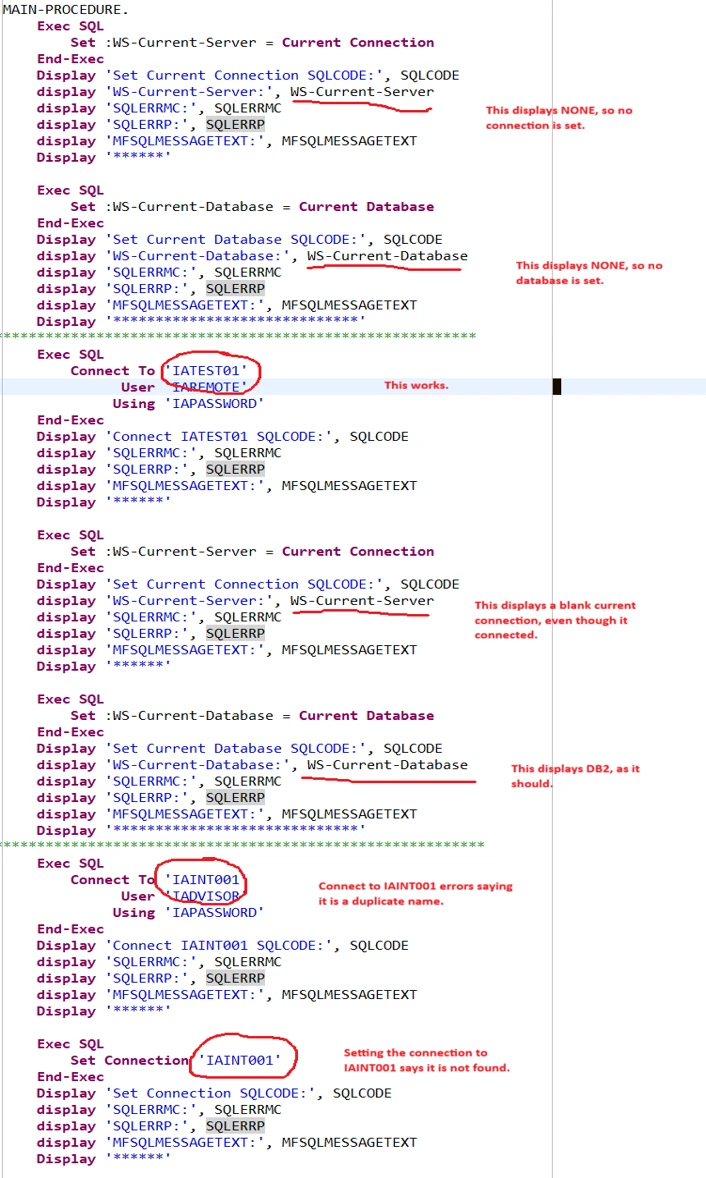
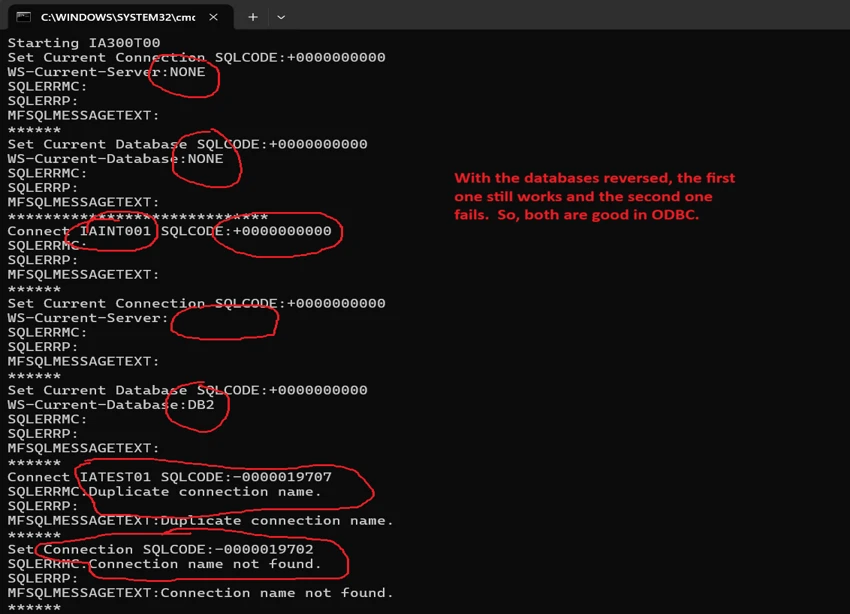
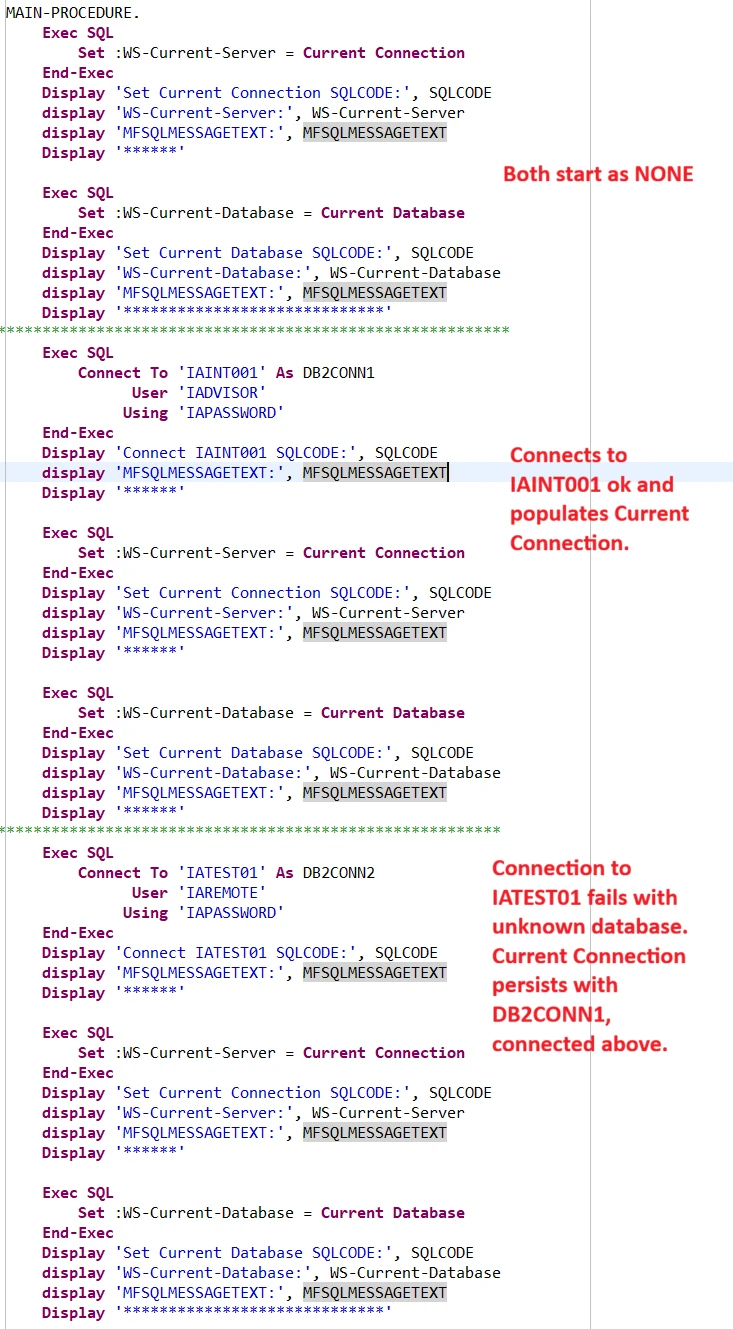
I just tried this below.  To start, no database is connected by default (Current Server & Database = NONE).  Connecting the databases in either sequence, the first database connects OK and the second fails saying it is duplicate.  But, setting the connection to it also fails, saying it can’t be found.

Any ideas?


Chris Glazier
Forum|alt.badge.img+4

You are not naming the connections. 

Try something like the following where the connection names are SQLCONN1 and SQLCONN2

 exec sql 
connect to 'SQLODBC32' as SQLCONN1 USER 'chris'
using 'password'
end-exec

exec sql set :server-name = current connection end-exec
exec sql set :db-name = current database end-exec
display server-name
display db-name

exec sql
connect to 'SQLODBC32' as SQLCONN2 USER 'chris'
using 'password'
end-exec

exec sql set :server-name = current connection end-exec
exec sql set :db-name = current database end-exec
display server-name
display db-name

exec sql set connection SQLCONN1 end-exec

exec sql set :server-name = current connection end-exec
exec sql set :db-name = current database end-exec
display server-name
display db-name


billhulsizer
  • Author
  • Participating Frequently
  • Nov 2, 2026 4:12 PM UTC

Basically, the same results, with Current Connection populated.  The first one works and the second one fails, not being found.  Connecting them in either sequence.


Chris Glazier
Forum|alt.badge.img+4

I have done some additional research which indicates that having connections to two DB2 instances in 2 different DB2 copies within the same client process may not be allowed. The first connection establishes the default copy to use and when you try to connect to the second copy it is still looking in the first copy for the specified database, which it cannot find. Getting an ODBC trace would probably confirm what is going on.  I would recommend that you open up a support incident for this instead of posting trace information to this public forum. If you put in the case description that you were working with Chris Glazier on the forum, the case should end up with me.


billhulsizer
  • Author
  • Participating Frequently
  • Nov 2, 2026 5:20 PM UTC

How do I open a support incident?  Got a link?  I’m using the community edition.

My app has it’s own local database, which happens to be DB2 LUW.  And, it needs to be able to connect to any other ODBC database anywhere, including DB2 LUW databases, to replicate database catalog info from them into its internal database.  Basically, replicated catalog info into a central repository.


billhulsizer
  • Author
  • Participating Frequently
  • Nov 2, 2026 6:31 PM UTC

I got registered in support.  My only email is bhulsi@gmail.com.  They are not allowing me access to submit cases, because of using gmail.

I use it for anonymity, because of what I do.  I don’t have another one.  I replied with that.  We’ll see….


Chris Glazier
Forum|alt.badge.img+4

You have to have a valid support maintenance agreement with Rocket and a licensed copy of Visual COBOL in order to open up a support incident. The Visual COBOL Personal Edition is not a licensed product and therefore is only supported through this forum. Let me check with Development to see if the problem you are having is a known limitation with the DB2 ODBC driver.


Chris Glazier
Forum|alt.badge.img+4

We think the problem is that your DSN’s each use a different copy of the driver,, IBM DB2 ODBC DRIVER - DB2COPY1 and IBM DB2 ODBC DRIVER DB2COPY3.

Try creating both DSNs using the same driver version and point each DSN to its required Alias and connection info. We tested this here and it worked fine.


billhulsizer
  • Author
  • Participating Frequently
  • Nov 3, 2026 10:39 PM UTC

Sorry for the delay.  I uninstalled both DB2 instances and re-installed them using my user ID, instead of db2admin.  That solved my authority issues on a couple things I was trying to do. 

My DB2 client is now in copy DB2COPY1 in instance DB2.  This is in folder C:\Program Files\IBM\SQLLIB.

My internal database IAINT001 is in copy DB2COPY2 in instance DB2_01 on port 25000.  This is the default copy in DB2.  This is in folder C:\Program Files\IBM\SQLLIB_01.

My remote database IATEST01 is in copy DB2COPY3 in instance DB2_02 on port 25001.  This is in folder C:\Program Files\IBM\SQLLIB_02.

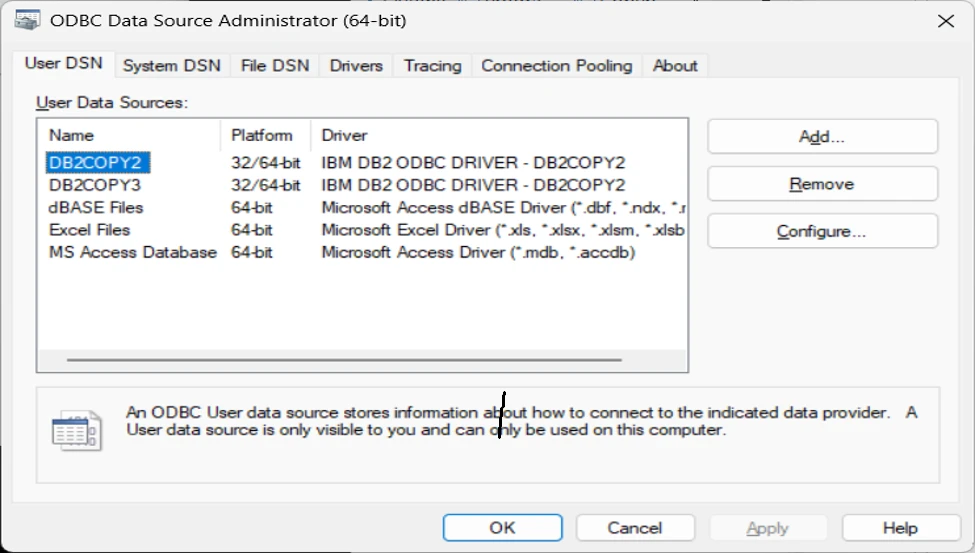
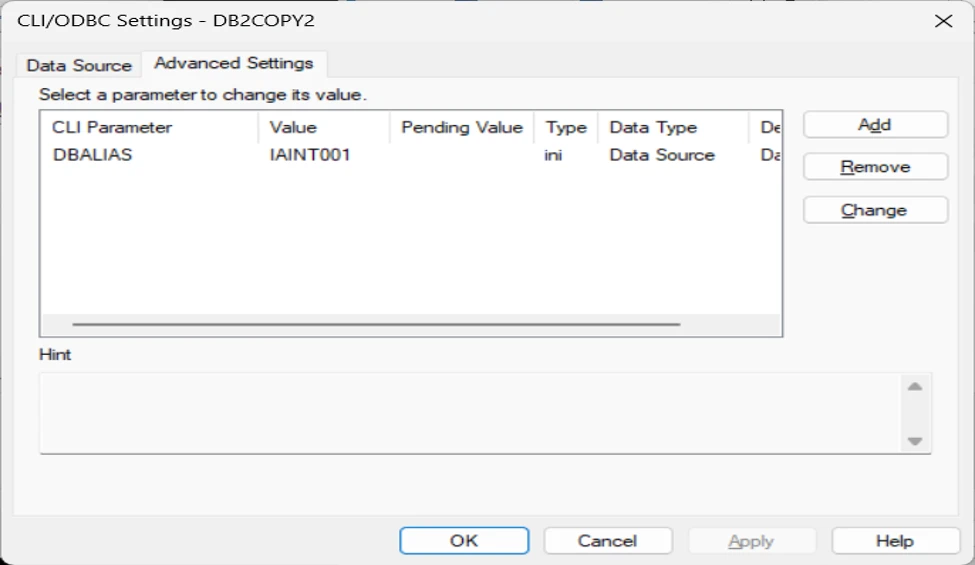
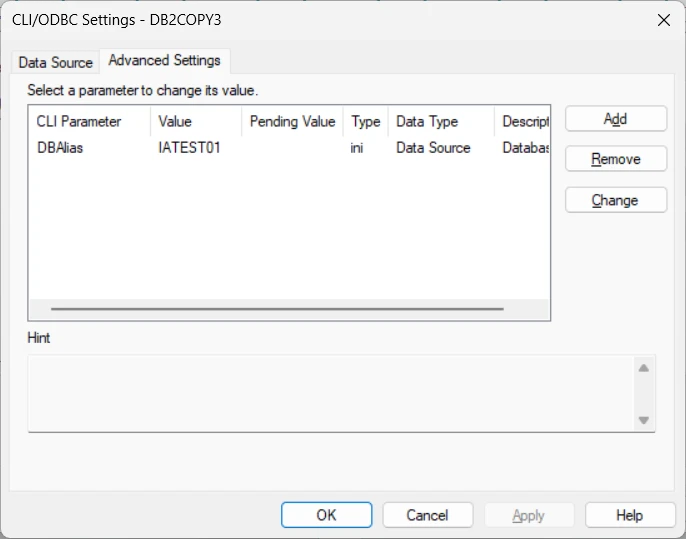
Below, DB2COPY2 & DB2COPY3 are defined in ODBC using the DB2COPY2 driver with aliases IAINT001 & IATEST01 and connect OK in ODBC.


However,…  now neither one will connect via my program.  They both get 19703 DSN not found., below


Both are cataloged to DB2, below.


Could something only be using databases defined in copy DB2COPY1 in instance DB2 in folder C:\Program Files\IBM\SQLLIB?


That doesn’t have any databases in it.  It’s the DB2 client installation.


Chris Glazier
Forum|alt.badge.img+4

Are you referencing the new DSN names in your program in the CONNECT TO?

They are now DB2COPY2 and DB2COPY3 where they used to be called IATEST01 and IAINT001.