
how to restore VC8 cobol editor properties and colors

  • March 3, 2023
  • 4 replies
  • 0 views

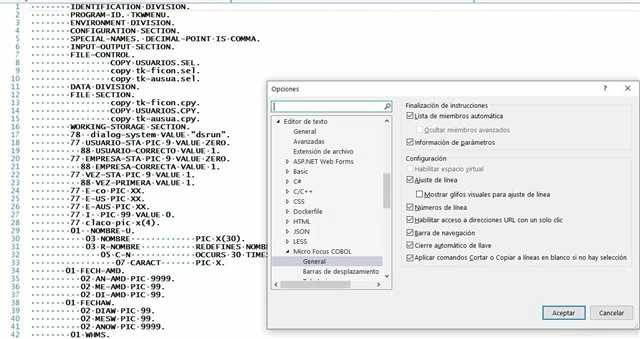
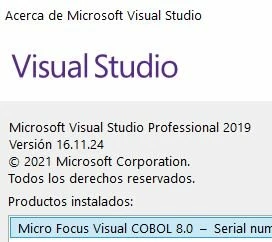
I have a Win10, with VC8 and VS2019 prof, and since the last update of VS2019, I have the problem that when editing any program of any solution, I have the problem that the editor does not appear as before, without differentiating colors.
How can I restore it?
4 replies

Chris Glazier
Forum|alt.badge.img+2

I have a Win10, with VC8 and VS2019 prof, and since the last update of VS2019, I have the problem that when editing any program of any solution, I have the problem that the editor does not appear as before, without differentiating colors.
How can I restore it?
Try the steps in the article here.


  • March 3, 2023

Try the steps in the article here.

I did as indicated in the article,
and everything remains the same, no color differences when editing.

\\Program Files (x86)\\Micro Focus\\Visual COBOL\\vsix\\VS16.0>mfvsixinstall


Chris Glazier
Forum|alt.badge.img+2

I did as indicated in the article,
and everything remains the same, no color differences when editing.

\\Program Files (x86)\\Micro Focus\\Visual COBOL\\vsix\\VS16.0>mfvsixinstall

Try Repairing Visual COBOL in Control Panel


  • March 3, 2023

Try Repairing Visual COBOL in Control Panel

the repair solves the problem. thank you very much.


